How IT Workflow Automation software can help you
Chris Sunter, Head of Software Development at Interlink Software, has led the development of our IT Workflow Automation software. Chris shares a bit about its benefits and how it can help IT Operations professionals.

From the top, what is IT Workflow Automation software all about?
Workflows and manual runbooks are generally printed on paper. If a critical incident hits your organization you don’t want to be rifling through pages and pages of text trying to find out how to fix something.
In my experience having no clear, repeatable sequence of steps to recover service critical incidents and outages is extremely hazardous! As different teams within an organisation will often deal with the same task in a different way which can lead to a variety of outcomes and efficiency.
Ultimately our tool removes slow, manual processes, reduces the risk of humans making error-prone judgements – helping people to respond to major incidents faster, more consistently and in the right context.
All from one screen
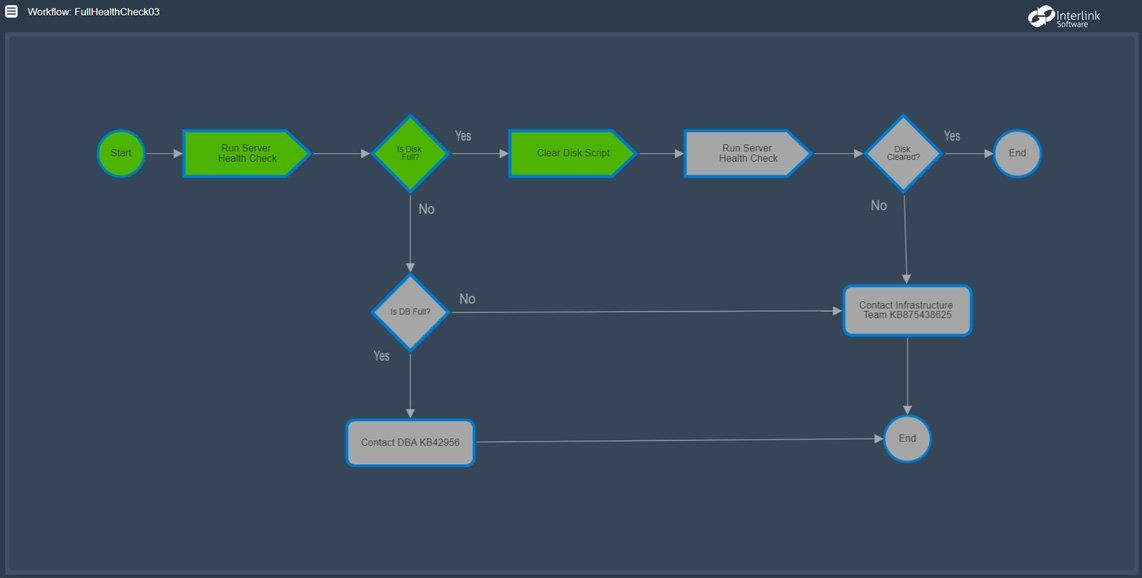
All from one screen, you can execute a set of user-defined recovery tasks and procedures for alerts that occur within the system.
Administrators can configure the procedures to include automation, running scripts such as a server health check or server restart.
We can integrate it with tools commonly found in the environments we find at our customer sites, such as Microsoft Orchestrator, Unix scripts, PowerShell scripts and command line interfaces.
You can access supporting electronic knowledge articles and documentation via integration with your service desk tool or internal wiki’s.
Audit dashboard included
It also includes an audit dashboard. Everything a user does is recorded. What they clicked on, when they clicked on it, how long it took to get from step to step and ultimately how long it took to resolve something.
Metrics like this allow senior members of the team to concentrate on areas needing improvement – highlighting steps that might be problematic for users along the way.
It might just be a simple educational issue to address; why is it taking so long for users to go through step X? Or why does it take one user 20 minutes when others do it in 5? If you can analyze it you can do something about it.
Executing recovery tasks within the bounds of first line support eliminates the need to call out second line support. Again, a faster way of doing things.
For the super-user
Ideally, ALL alerts in the system should have an associated workflow, giving the user a clear, defined set of steps to follow to resolve any alert that comes up.
If an alert happens and does NOT have an associated workflow, the user will get the option to create a new one. If the same alert occurs again it will attach it the new workflow.
IT Workflow Automation Software – 3-minute demo
About Chris
Chris is a Senior Technical Consultant with 12 years’ experience in the IT industry fulfilling a number of different roles including Software Developer, Business Analyst and Software Consultant.
Chris has spent the majority of his career within Professional Services teams and has extensive experience of the full project lifecycle. He enjoys working on internal and external projects, ensuring that his customers get the most value from their solutions.
WATCH IT Workflow Automation software in action at Nationwide Building Society